
Access the Admin Dashboard
This view gives you a quick snapshot of performance over the last 30 days.
From the Benefits Hub homepage, click on 'Admin' in the top navigation bar.
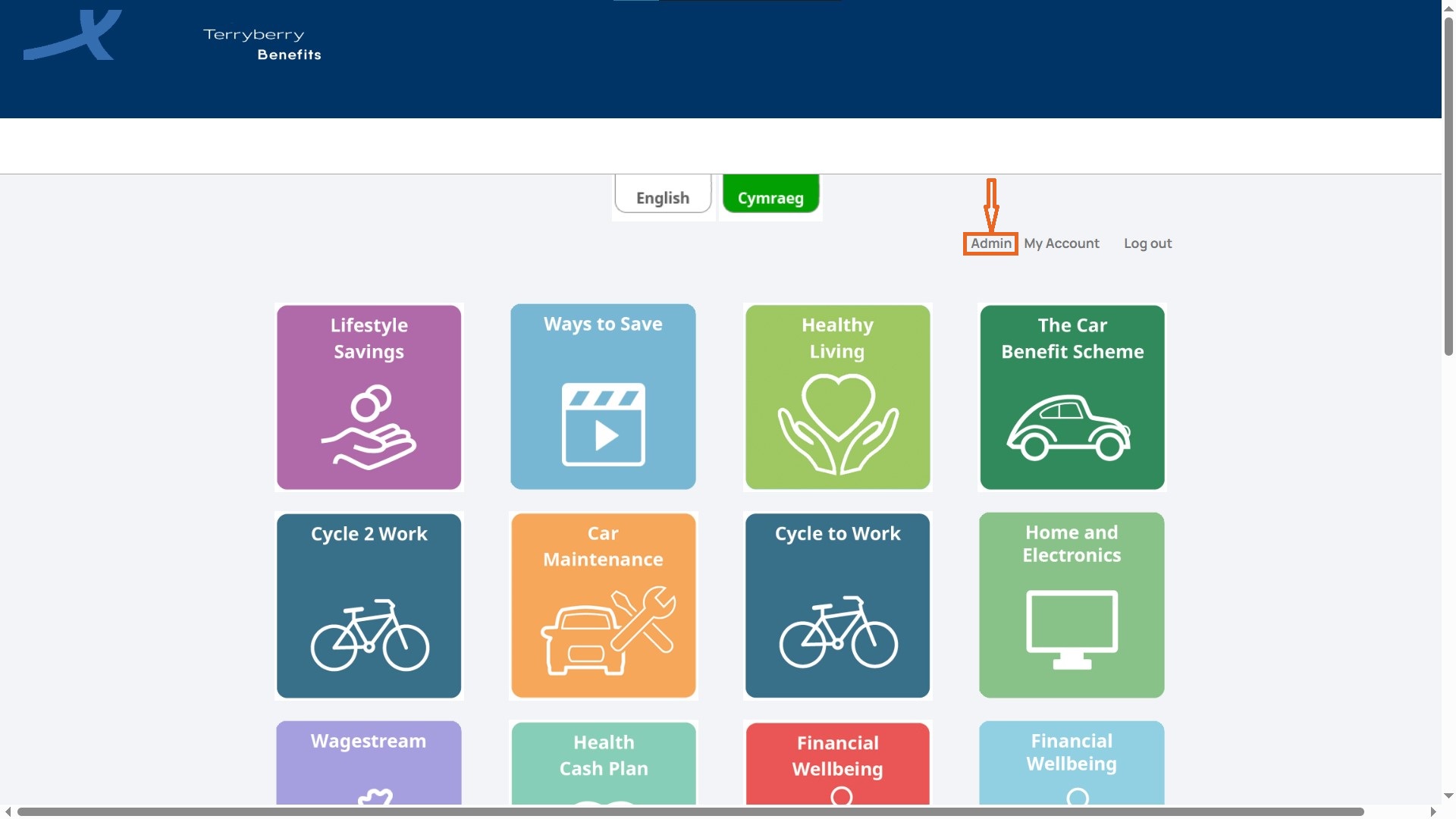
Next, you will see the Dashboard page. This is your summarised view of program activity.
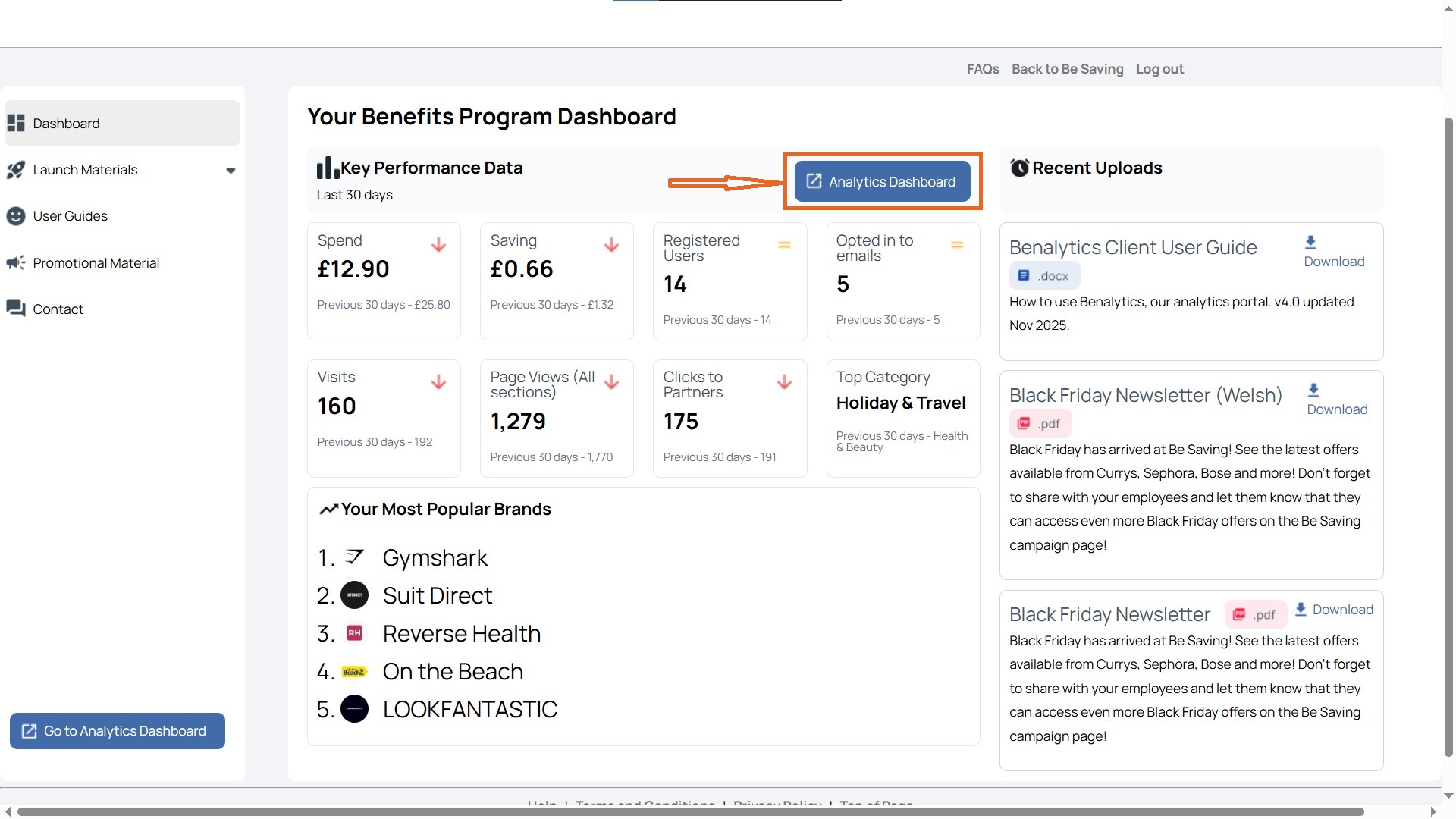
Here, you’ll see key data at a glance, including:
- Spend: Total employee spend within the hub.
- Saving: Combined savings generated from activity.
- Registered Users: Number of employees who have signed up.
- Opted in to emails: Employees who have agreed to receive communications.
- Visits: Total number of hub visits during the selected period.
- Page Views (All sections): How many pages employees have viewed across the hub.
- Clicks to Partners: Number of times users clicked through to benefit providers.
- Top Category: The most visited benefit category (e.g., Holiday & Travel).
- Your Most Popular Brands: A ranked list of the brands employees engage with most.