
How to Log In to Be Rewarded
Be Rewarded is part of Be Recognized, powering the redemption platform of the recognition programme. Be Recognized celebrates achievements. Be Rewarded delivers the reward.
When you receive your Be Recognized “Welcome, [Name]” email, click the link to get started.
You have two login options:
- Username and password
- Login code (for users without an email address)
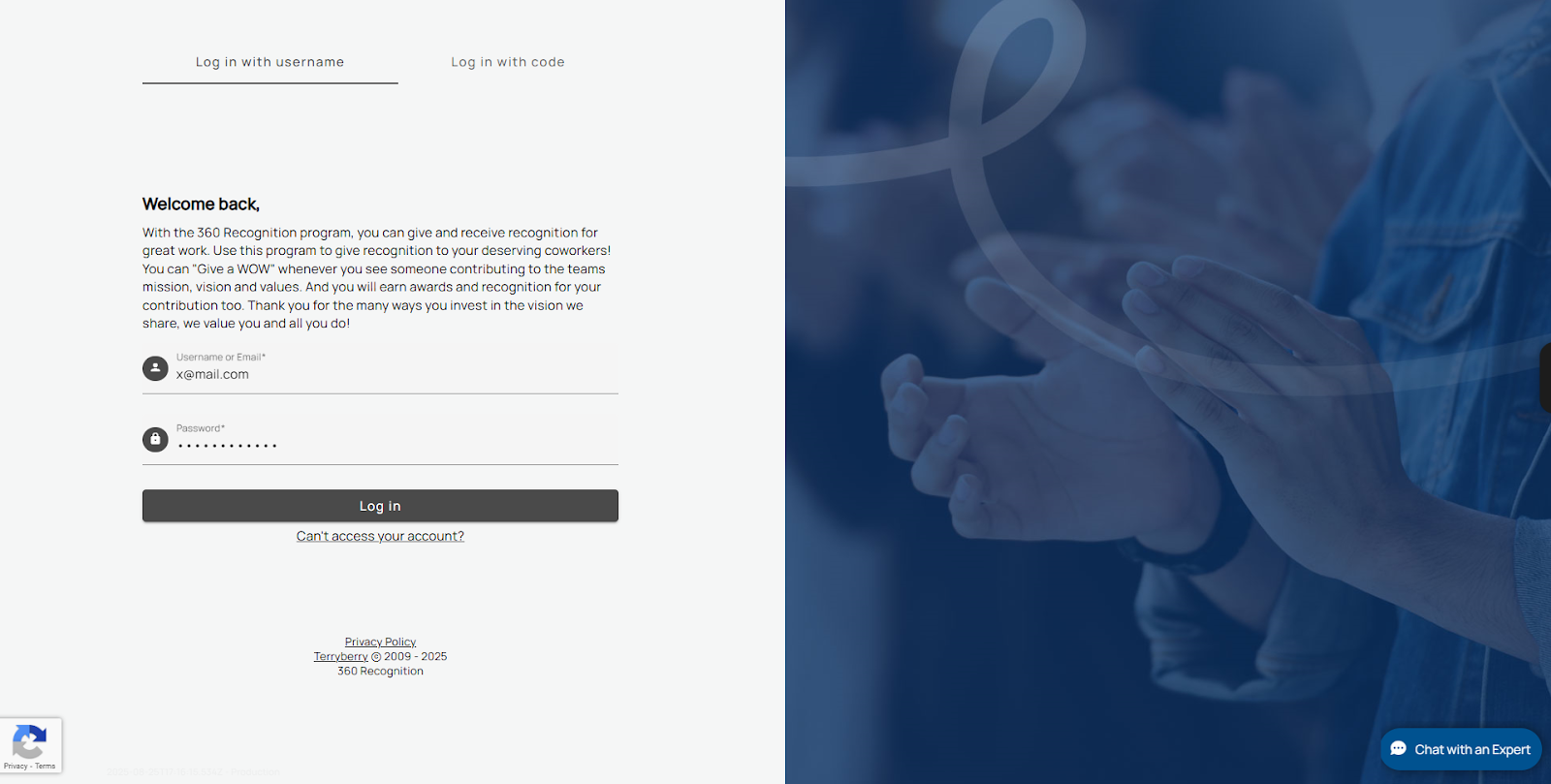
First-Time Login:
- Enter your username.
- Set your password.
- Check your email for a password reset message.
- Confirm your email to complete the setup.
Returning Login:
- Go to the login page.
- Enter your username and password.
- If you forget your password, use the "Can't access your account?" link to reset it.
How to Reset Your Password
- On the login page, select "Can't access your account?"
- Enter the email address linked to your account.
- Check your inbox for a password reset email.
- The link is valid for 24 hours.
- If it expires, request a new reset.
- Click the reset link in the email.
- Create and confirm your new password.
- Log in using your updated credentials.
Tip: Use a strong, unique password. Avoid easily guessed details, like birthdays or simple patterns.
Get the Mobile App
Use the Be Recognized mobile app to stay connected wherever you are. You can access the same tools as the web platform, send and receive recognition, and view awards and notifications. Ensure you log in to the web platform at least once before setting up the mobile app.
Download the App:
- Find the download links to the Apple App Store and Google Play here:
- In the footer of your notification emails
- From a custom widget on the platform
- Select the link for your device and install the app.
First-Time Login:
- Open the app.
- Enter your employee email.
- The system will send you a login code.
- Enter the code to verify your identity.
Returning Login:
Your device will stay signed in for faster access.