
How to Order or Redeem an Item
The steps are the same across all active catalogs, Amazon, Terryberry Store, SWAG, or Premium Redemption, although delivery methods vary depending on the reward type.
1. Select a Product
From the Be Rewarded homepage or a specific department view, click a product card to open the item’s detail page. Each card displays the item image, name, required points, rating, and delivery estimate. Selecting the card opens a detailed view where you can review the full description, technical details, and redemption cost.
2. Review Product Details
On the product page, confirm that the item is available and that you have enough points to redeem it. If the item requires more points than your current balance, the redemption button will appear disabled. You can also add the item to your Wish List from this screen for later.
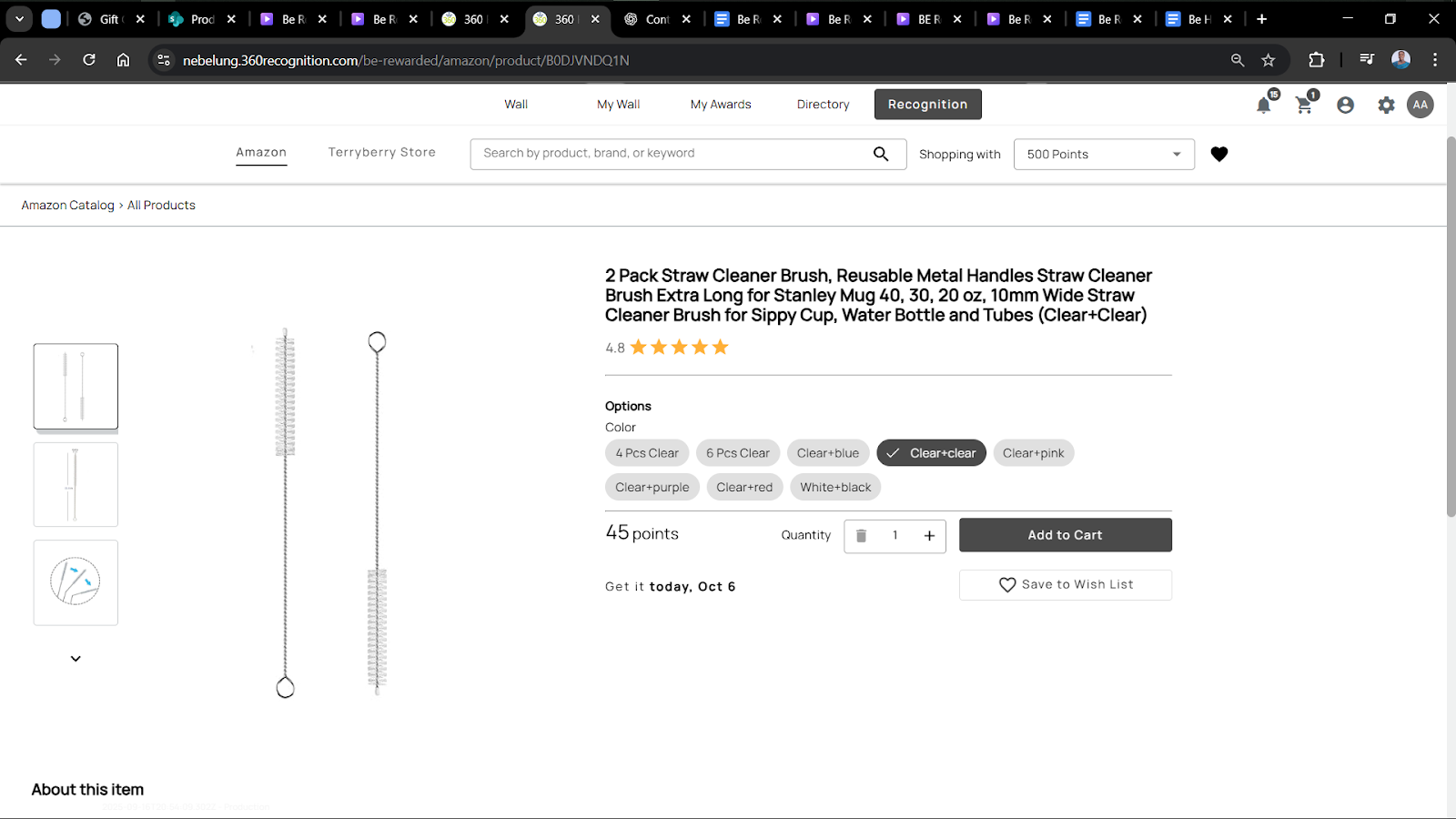
3. Confirm with Points
Once ready, click Add to Cart to proceed.
4. Proceed to Checkout
Click the Cart icon to finalise your order.
During checkout:

- Verify delivery details (for physical items).
- Confirm the shipping address and contact email.
- Review your order summary before completing the process.
Once you click Confirm Order, the points are deducted instantly, and a confirmation message appears on-screen.
5. Delivery and Confirmation
Physical Items:
After checkout, an email confirmation is sent containing your order summary and delivery details. Tracking information is included once dispatch begins.
Digital Gift Cards:
Digital rewards or e-vouchers are delivered via email to the address associated with your account. Most are sent within minutes, but some can take longer, depending on vendor processing.