
Notifications in Be Well
Keep everyone informed with the right notification settings.
Be Well keeps participants informed through the Communications tab and by email. Notifications cover activity such as reaching challenge map milestones, receiving a friend request, and when other members comment on posts. Although notifications are published ONLY within Be Well, participants can control which notifications and emails they receive through their own Account Settings.
[Verify against live app — mobile UI paths below reference the hamburger menu and Activity/shoe tab, pending confirmation]
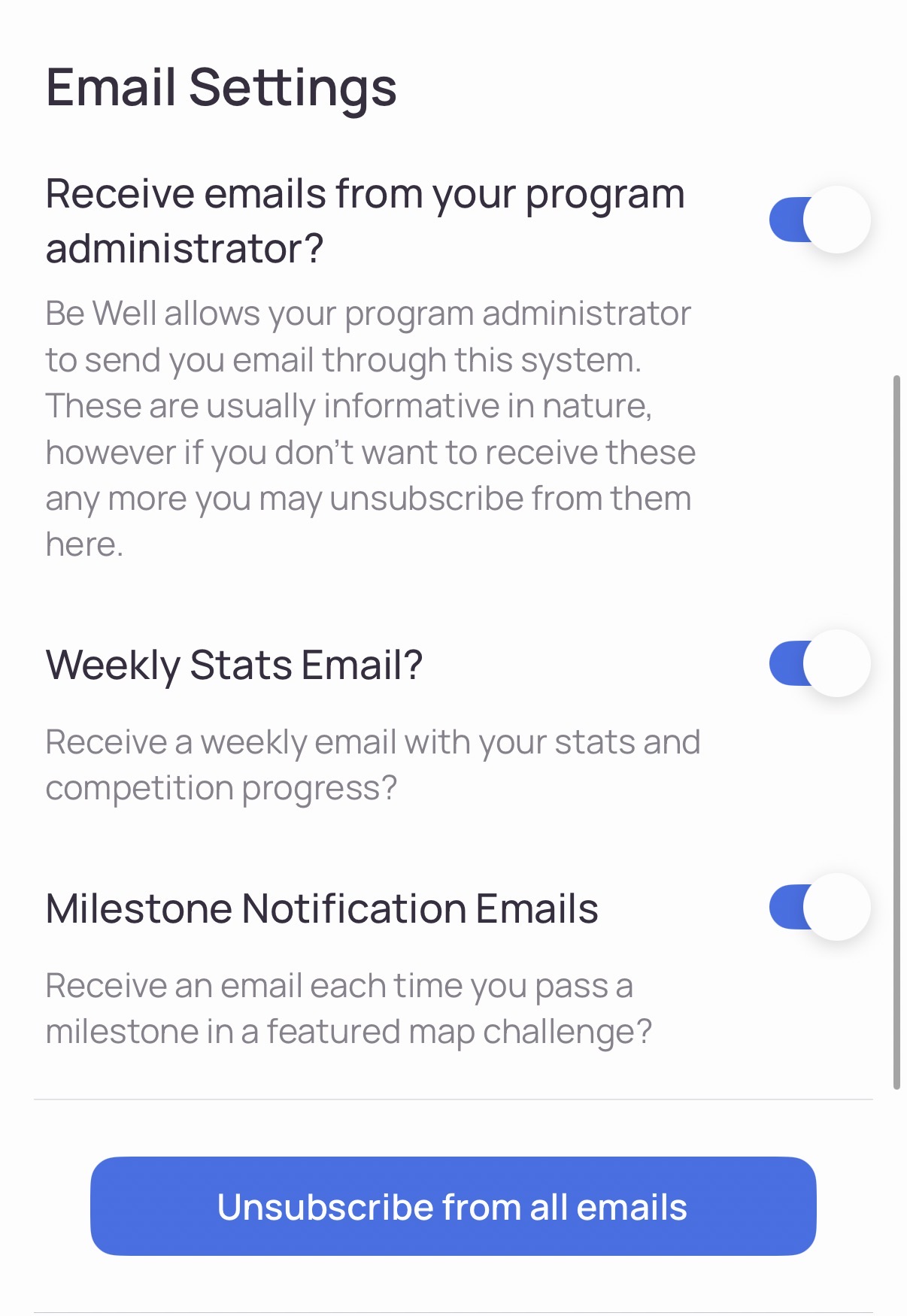
Update Notification and Email Settings (Mobile App).
- Select the hamburger icon (three horizontal lines) in the top-left corner.
- Select Goals and communication from the menu.
- Scroll down to the Email Settings section.
- Toggle each setting on or off as needed.
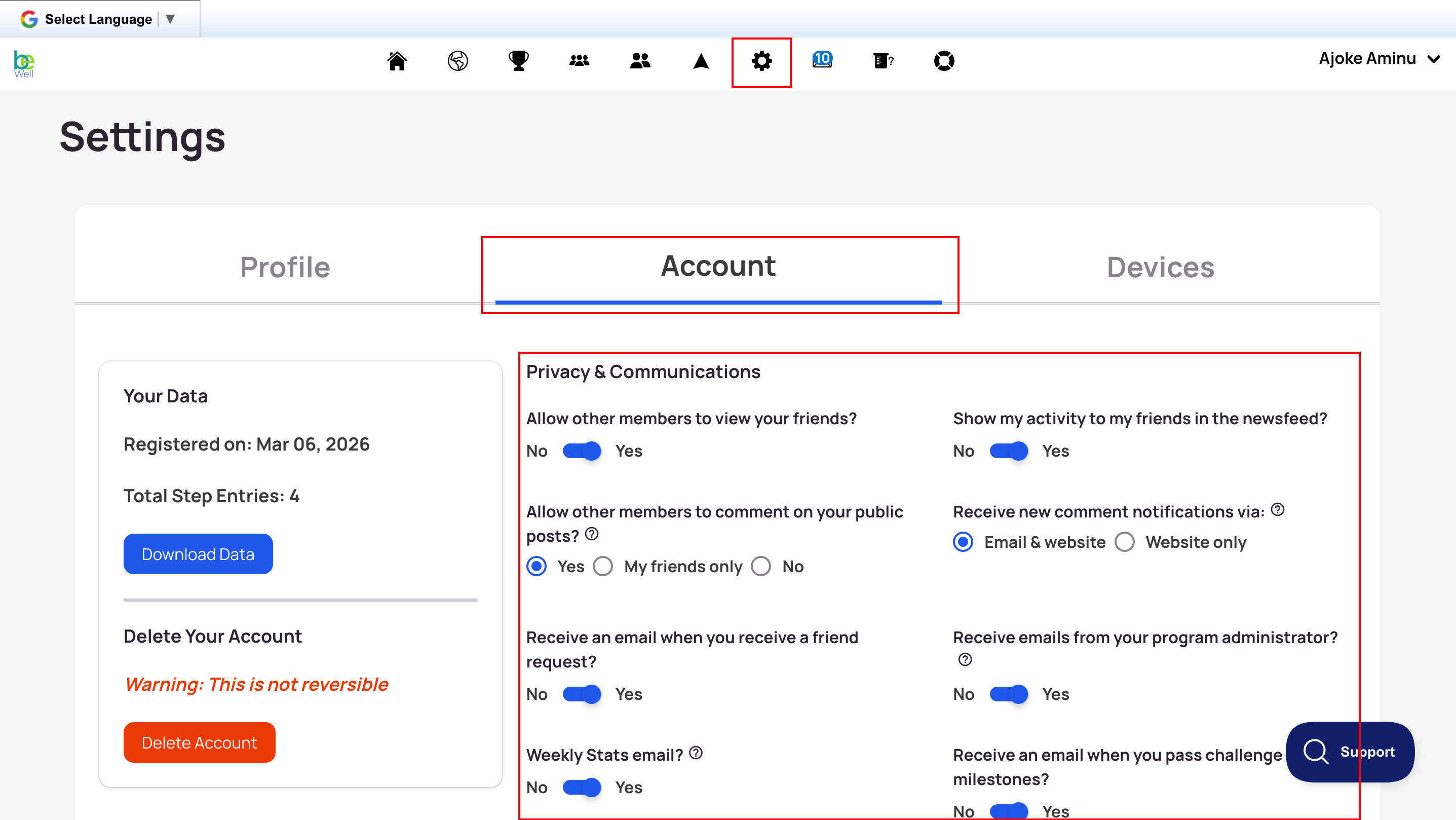
Update Notification and Email Settings (Desktop Browser)
- Log in.
- From the top toolbar, select the Settings tab (gear icon).
- Select Account.
- Make your selections.
- Select Save at the bottom before leaving the page.