
How to Adjust Your Profile Settings in Be Saving
This page allows you to review and update key details associated with your profile and preferences.
Click My Account from the top navigation bar of the Benefits Hub.
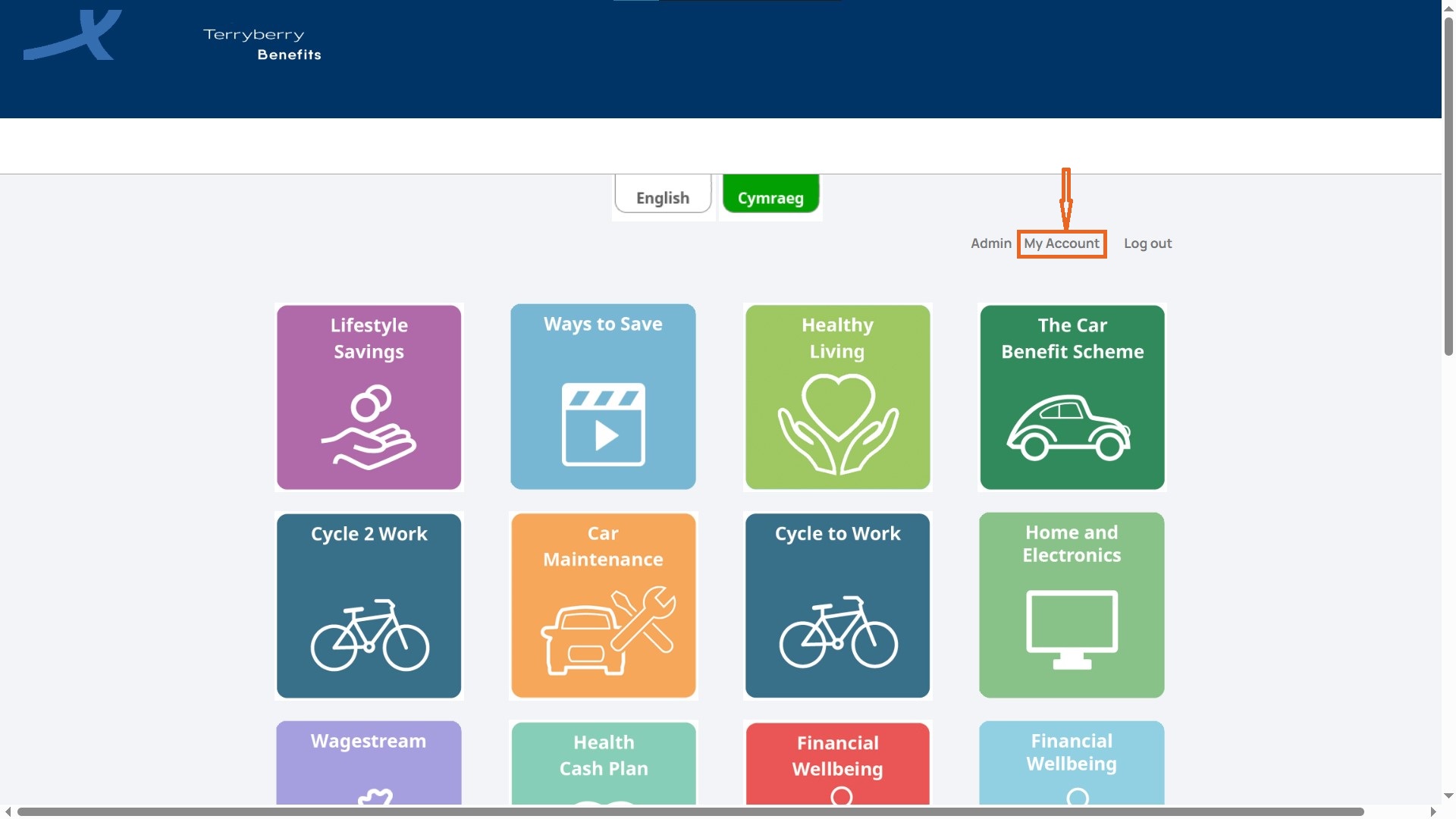
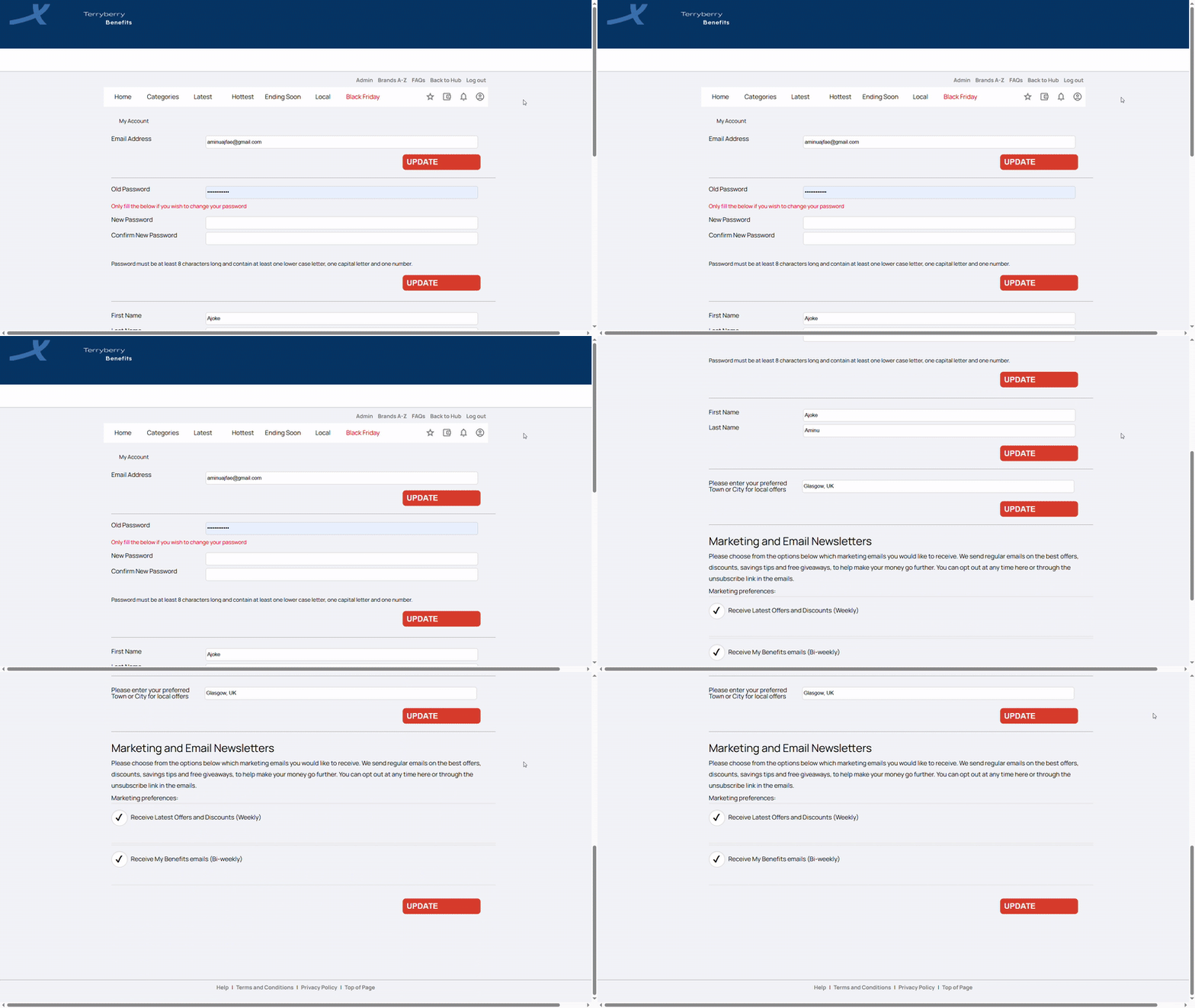
You will see your personal account page.
Enter Personal Details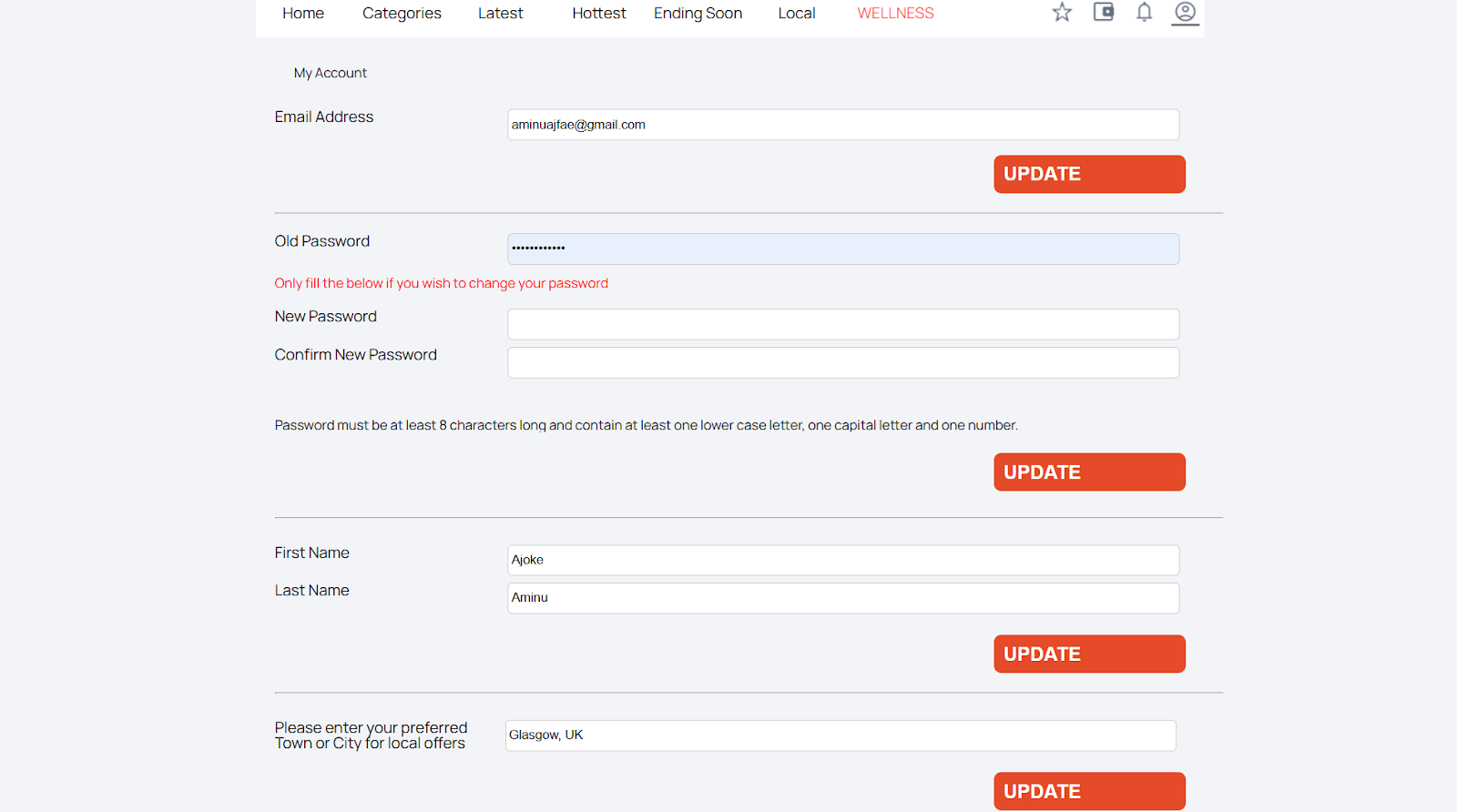
- You can view your registered email and change your password if needed. To update your password, enter your old password, then create and confirm a new one. Passwords must be at least 8 characters long and include a lowercase letter, a capital letter, and a number.
- First and last names are stored here and can be updated at any time. You can also set your preferred town or city, which helps tailor in-store offers to your location.
- After making changes, click Update to save your settings.
Choose Marketing and Email Newsletters Preferences
This section manages how often you receive communications.
- Latest Offers & Discounts (weekly): Highlighting some of the current deals available from our retail partners.
- Benefits Emails (bi-weekly): Updates from benefits partners your employer has chosen.
You can opt in or out at any time by adjusting the checkboxes.
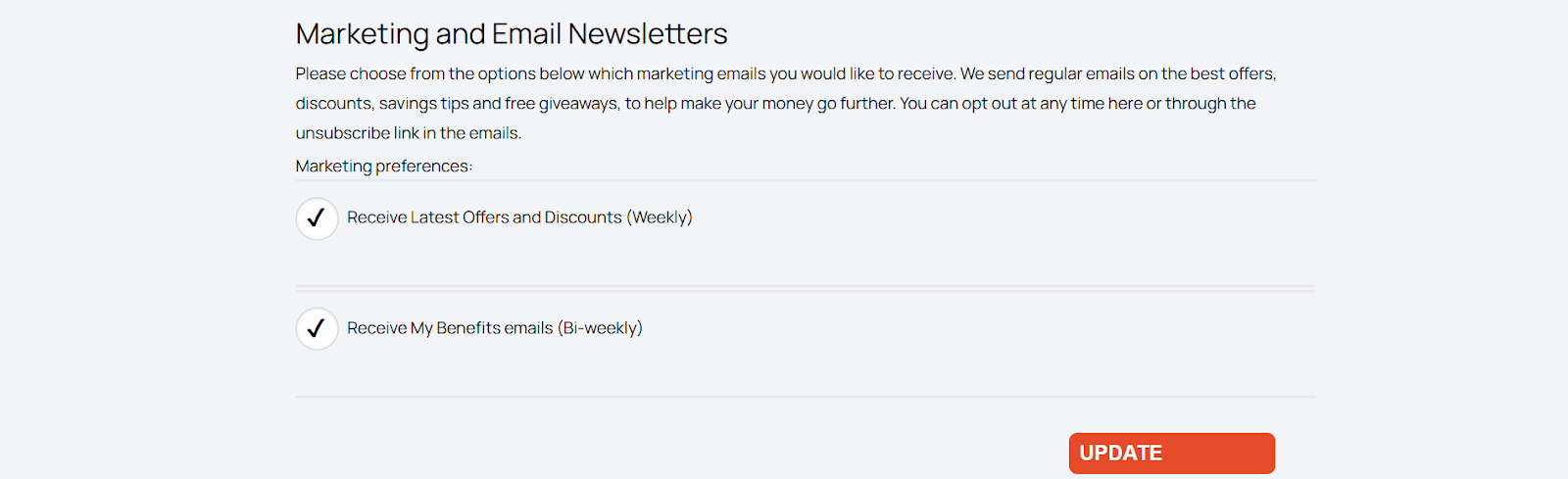
Click Update
After making your preferred changes, click Update to save your settings.