
Be Saving HR Admin Portal
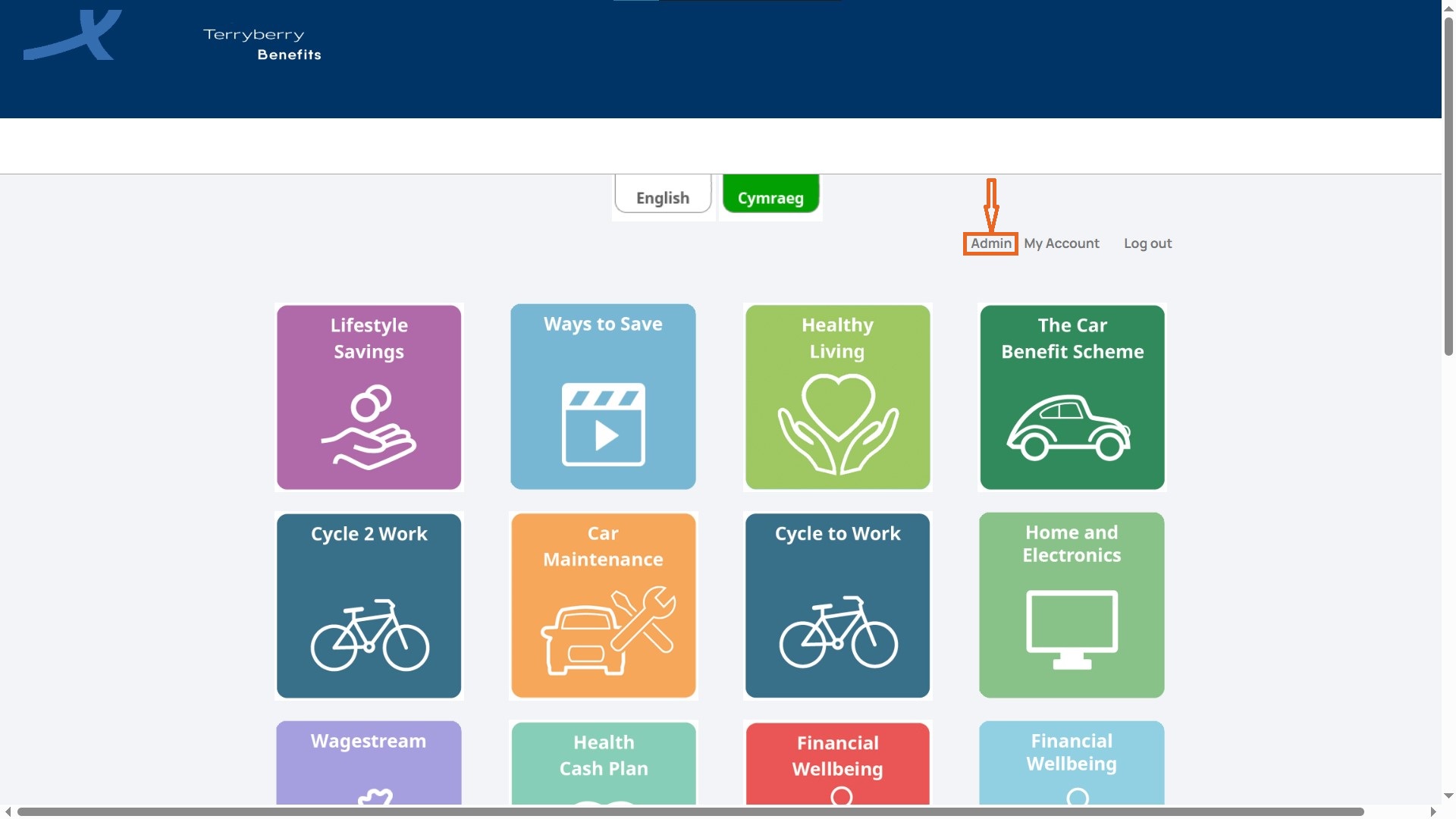
From the Benefits Hub page, select Admin in the top-right navigation to access the HR Admin Portal.
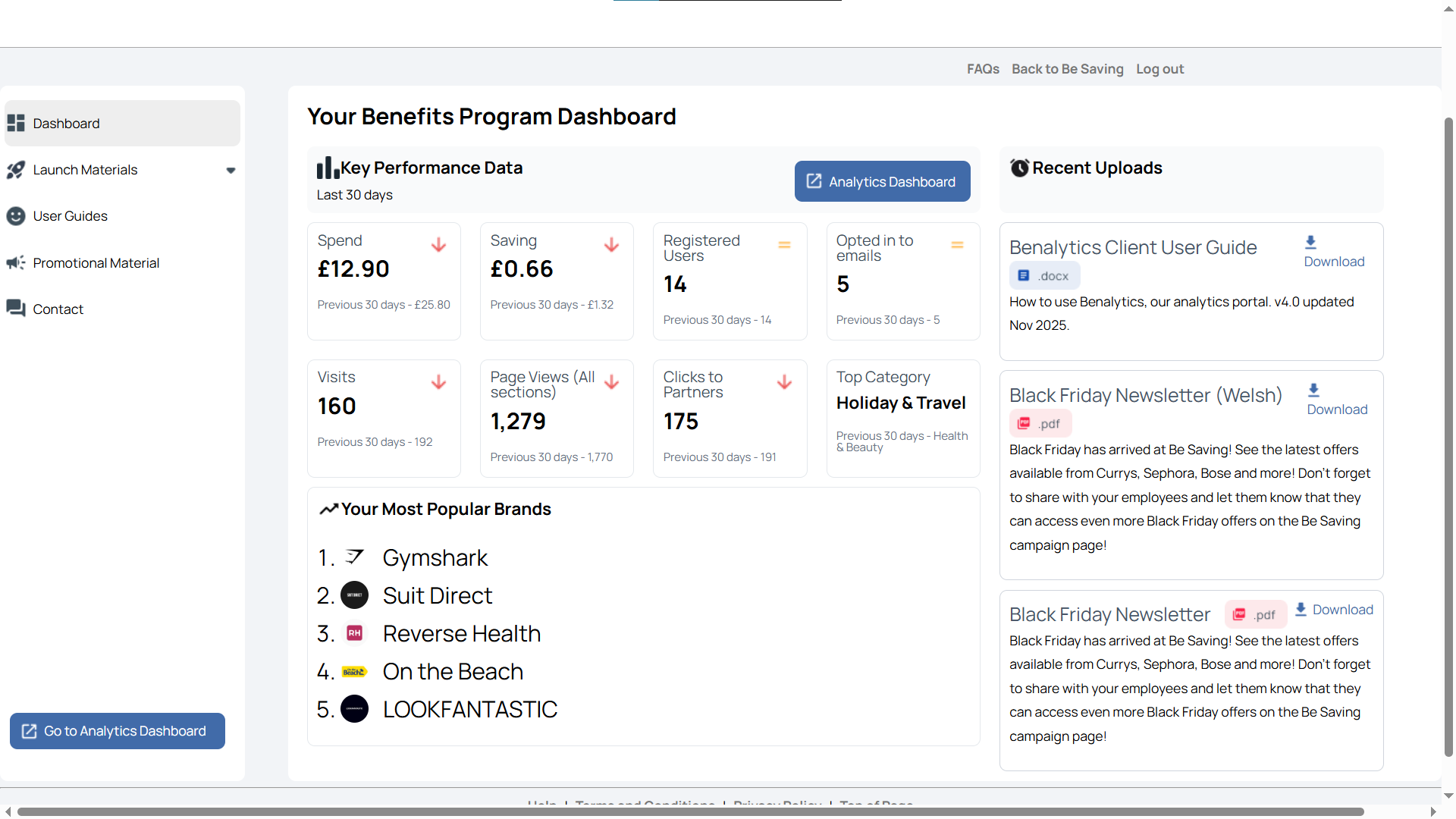
The Admin landing page displays a Dashboard, highlighting key metrics and content. Meanwhile, you can access more details in the left sidebar menu.
Launch Materials
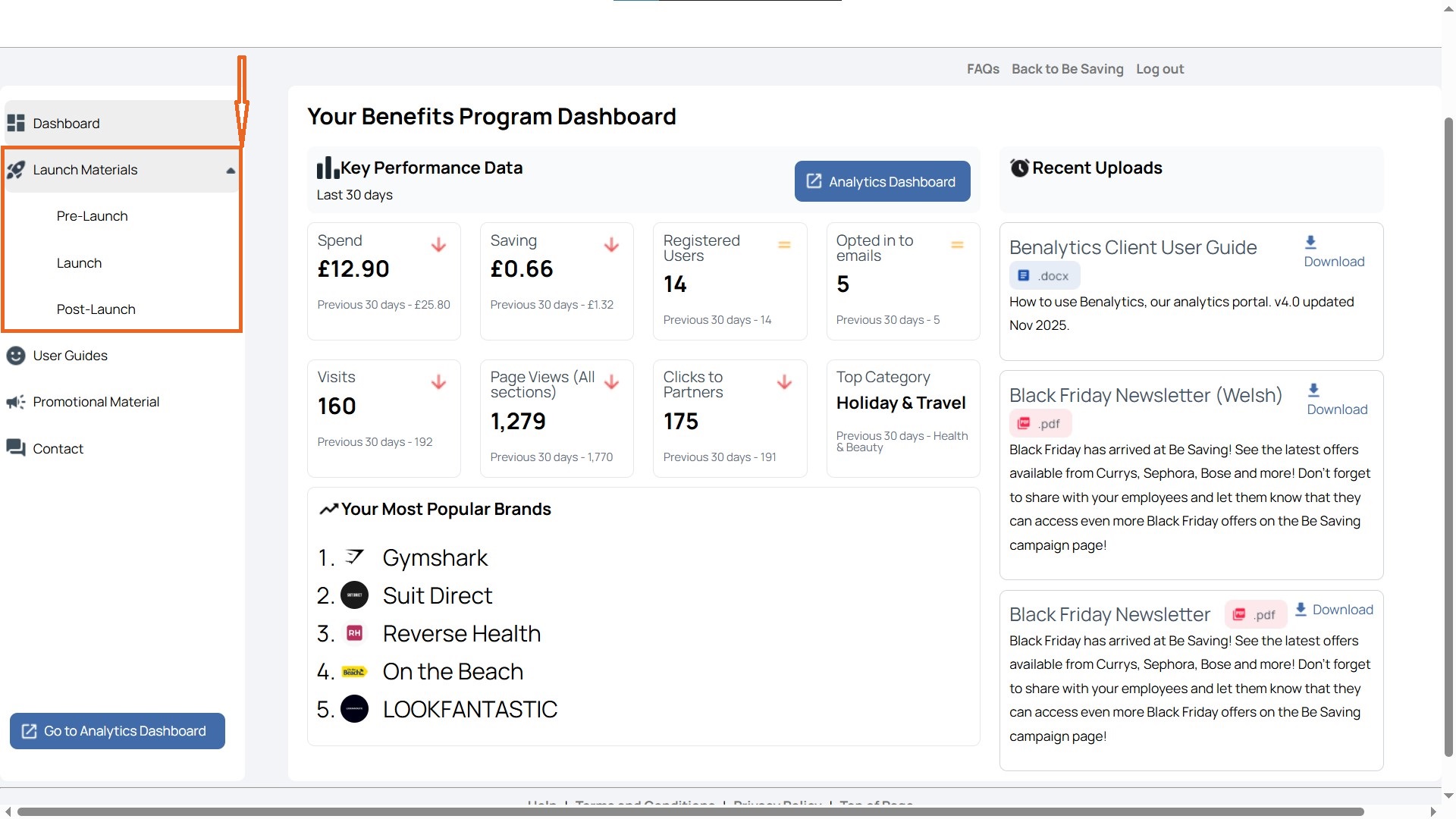
The Launch Materials menu in the sidebar provides administrators with ready-to-use communication resources to promote and roll out Be Saving. Expanding the dropdown reveals three sections; Pre-Launch, Launch, and Post-Launch.
Pre-Launch
Pre-Launch materials build anticipation and awareness before Be Saving goes live. These are designed to generate interest and prepare employees for what’s coming.
- Coming Soon TV and Monitor Screens – Slide decks that can be displayed on screens around the workplace or in presentations to create early visibility.
- Coming Soon Posters – Printable, Terryberry-branded posters that announce Be Saving’s arrival and help build curiosity.
Launch
Launch materials drive participation when Be Saving becomes available. These resources give HR teams and managers branded content to share through different channels.
- Social Media Copy and Imagery – Branded posts and images that can be published on company social channels to announce the launch. Options include multiple layouts (PNG) with the flexibility to add your own company logo.
- Launch Email Templates – Word and PDF templates for sending internal launch emails to employees. These messages introduce Be Saving, explain its value, and provide login instructions.
- Launch Posters – Branded posters reinforcing the launch message within the workplace.
- Promotional Graphics – Visuals like banners or icons that reinforce the brand’s identity and help position Be Saving as a step forward.
Post-Launch
Post-Launch materials sustain momentum after rollout. These assets help keep Be Saving top of mind and encourage ongoing use.
- Follow-up email templates for continued communication.
- Additional posters and graphics to reinforce program visibility.
- Content designed to remind employees about specific benefits or highlight seasonal offers.
User Guide
The User Guides section provides administrators and clients with reference documents to support the effective use of Be Saving. The available resource is:
- Benalytics – Client Guidance: A document offering step-by-step instructions and best practices for using the Benalytics reporting platform. This guide helps administrators understand how to access data, interpret reports, and apply insights to track employee engagement and program performance.
Promotional Material
This section provides ready-to-use campaigns and assets that help drive engagement with Be Saving. These materials are often linked to competitions, seasonal promotions, or partner giveaways, giving employers a simple way to maintain interest in the platform.
Examples include:
- Campaign Posters – Visual assets (e.g., for ODEON Cinema giveaways or Easter promotions) that can be displayed digitally or printed for the workplace.
- Giveaway Announcements – Branded posters and notices highlighting prize draws, seasonal bundles, or exclusive events.
- Supporting Documents – Terms and conditions, campaign rules, or branded PDFs explaining competition details and participation criteria.
Contact
The Contact section provides a direct way to reach the Be Saving support team. Administrators and users can enter their query into the form provided, add details as needed, and mark the request as high importance if urgent.
Once submitted, the message is routed to the Be Saving team, who will respond to assist. This feature ensures quick access to help for issues ranging from technical troubleshooting to guidance on program use.