
How to Adjust Your Profile Settings in Be Well
Most profile details are set up when you first join Be Well, but you can adjust them anytime to reflect your preferences, update your goals, and control how your activity appears to others.
Follow these steps to adjust your profile:
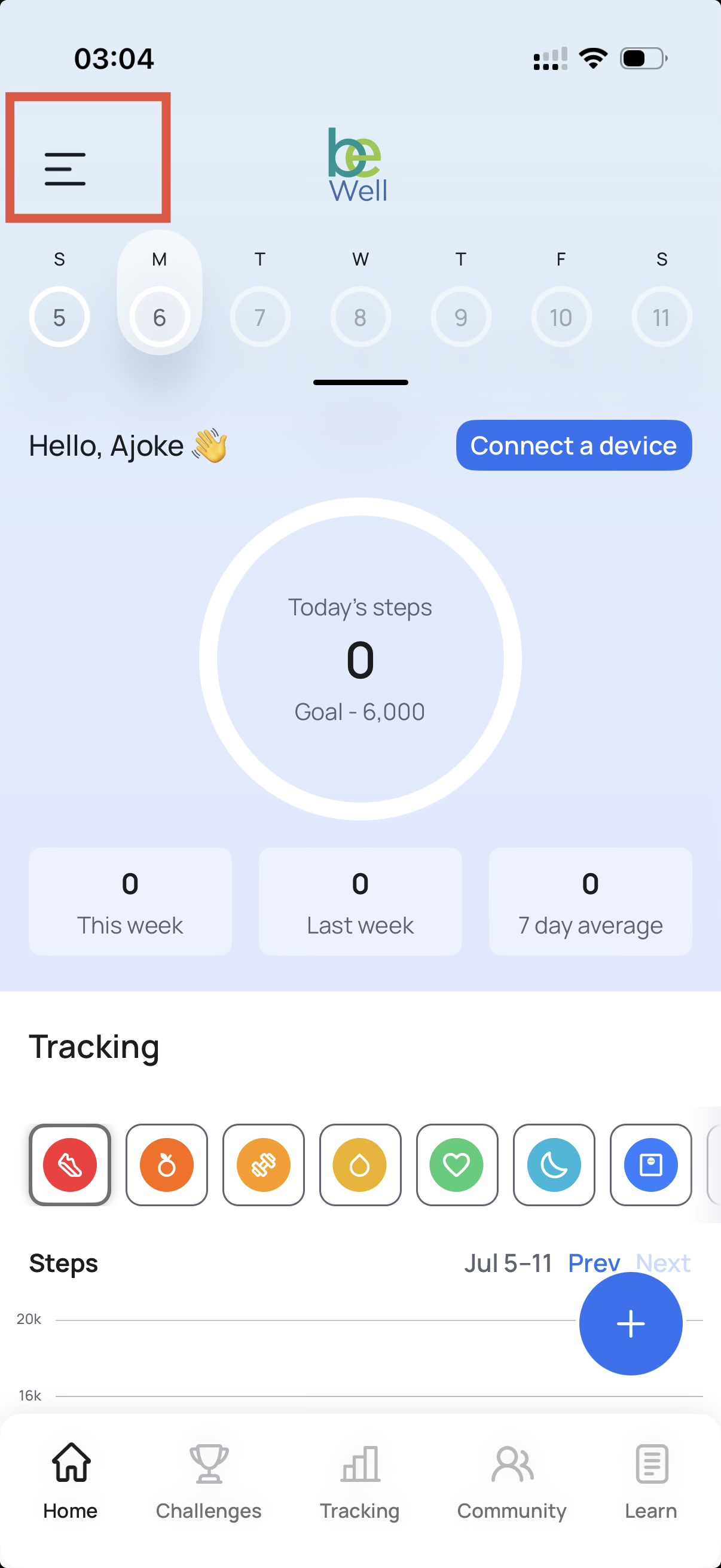
- Tap the hamburger menu (three horizontal lines) in the top-left corner of the screen.
- Select Profile from the menu.
- Customize your profile:
- Change your photo by tapping the circular profile image. You'll have the option to take a photo or choose one from your library.
- In Communications, control the visibility of details others can see, such as your activity or personal information (options may vary by program settings).
How to Adjust Notification Preferences
- Update notifications:
- Open the Goals and communication section from the sidebar menu.
- Scroll to the Email Settings section. Opt in or out of the settings you want.
How to Adjust Your Wellness Goals
- Update your goals:
- Open Goals from the menu.
- Set or adjust your daily step target and any other wellness metrics your program tracks.
- Save your changes.
Account Deletion
- Delete your account
- Open the Goals and communication section from the sidebar menu.
- Scroll to the Account section. Opt in or out of the settings you want.
- Click Delete account.