
Knowledge Base
Knowledge Base
Be Recognized
Basics
What is Be Recognized?Be Recognized GlossaryBe Recognized FAQ
Personnel
Categories of Users in Be Recognized Permissions in Be Recognized How to Adjust Your Profile Settings in Be RecognizedFAQ About Roles in Be Recognized
Getting Started
How to Log In to Be Recognized Getting Started with Be RecognizedBe Recognized Admin Functionality (Configuration)How to Upload Users Creating/Updating Recognition LevelsConfigurationsReports NotificationsAwardsVerbiagesSkin SettingsIntegrations FAQ in Getting Started in Be Recognized
Features
How to RecognizeGive Awards & Give PointsAnnouncementHow to Send an eCardHow to Celebrate a Peer’s AnniversaryHow to Set Up Following & Filter PreferencesApplause & ReactionsComments and Comment ThreadingPoints BoostingNominations and ApprovalFAQ About Be Recognized Features
Dashboard
Manager DashboardFAQ About Be Recognized Dashboard
Be Heard
Basics
What is Be Heard?Be Heard Glossary Be Heard FAQ
Personnel
Categories of Users in Be HeardPermissions in Be HeardFAQ About Roles in Be Heard
Getting Started
How to Log In to Be HeardGetting Started with Be HeardCreate a SurveyHow to Use Survey TemplatesHow to Create a Company TemplateCreate a Survey from ScratchManage a Live SurveyFAQ About Getting Started with Be Heard
Features
Survey TypesQuestion TypesMore On Question Types: Likert vs Inverse LikertOther Feature Details for Be Heard SurveysBest PracticesFAQ About Be Heard Features
Dashboard
Introduction to Be Heard ReportingIndividual Survey ReportsSurvey TrendsFAQ About Be Heard Reporting
Be Saving
Basics
What is Be Saving?Be Saving GlossaryBe Saving FAQ
Personnel
Categories of Users in Be SavingHow to Adjust Your Profile Settings in Be SavingPermissions in Be Saving
Getting Started
How to Log In to Be SavingBe Saving HR Admin Portal Be Saving User FunctionalityFAQ About Getting Started on Be Saving
Features
Benefits Hub Tile InspirationWays to SaveHealthy LivingThe Car Benefit SchemeMortgage AdviceCycle2workThe Car Maintenance SchemeWagestreamHealth Cash PlanFinancial WellbeingGP HelplineEAP HelplineLife InsuranceSick Pay InsuranceCancer CoverPersonal Accident PlanHealth ScreeningYour PensionChildcareRewardBenefits of EmploymentAnnual Leave PurchaseRecognitionFAQ About Be Saving Features
Dashboard
Introduction to Be Saving Dashboards Access the Admin Dashboard Benalytics: Your Reporting DashboardExplore Benalytics FeaturesHow to Export Data in Be Saving
Be Rewarded
Basics
What is Be Rewarded?Be Rewarded Glossary Be Rewarded FAQ
Personnel
Categories of Users in Be Rewarded Permissions in Be RewardedHow to Adjust Your Profile Settings in Be RewardedFAQ About Roles in Be Rewarded
Getting Started
How to Log In to Be RewardedGetting Started with Be RewardedWhere to Check Available Points BalanceHow to Order or Redeem an ItemWhere to Redeem Digital Gift CardsWhere to Find Your Orders Managing FavoritesFAQ About Getting Started with Be Rewarded
Features
Accessing Be RewardedAmazon Business OverviewTerryberry Store CatalogSWAG CatalogPremium Redemption CatalogCustomer-Fulfilled Product Catalog and RedemptionFAQ About Be Rewarded Features
Dashboards
Admin Functionality (Orders Report)How to Export Data in Be RewardedFAQ About Be Rewarded Dashboard

Be Recognized Admin Functionality (Configuration)

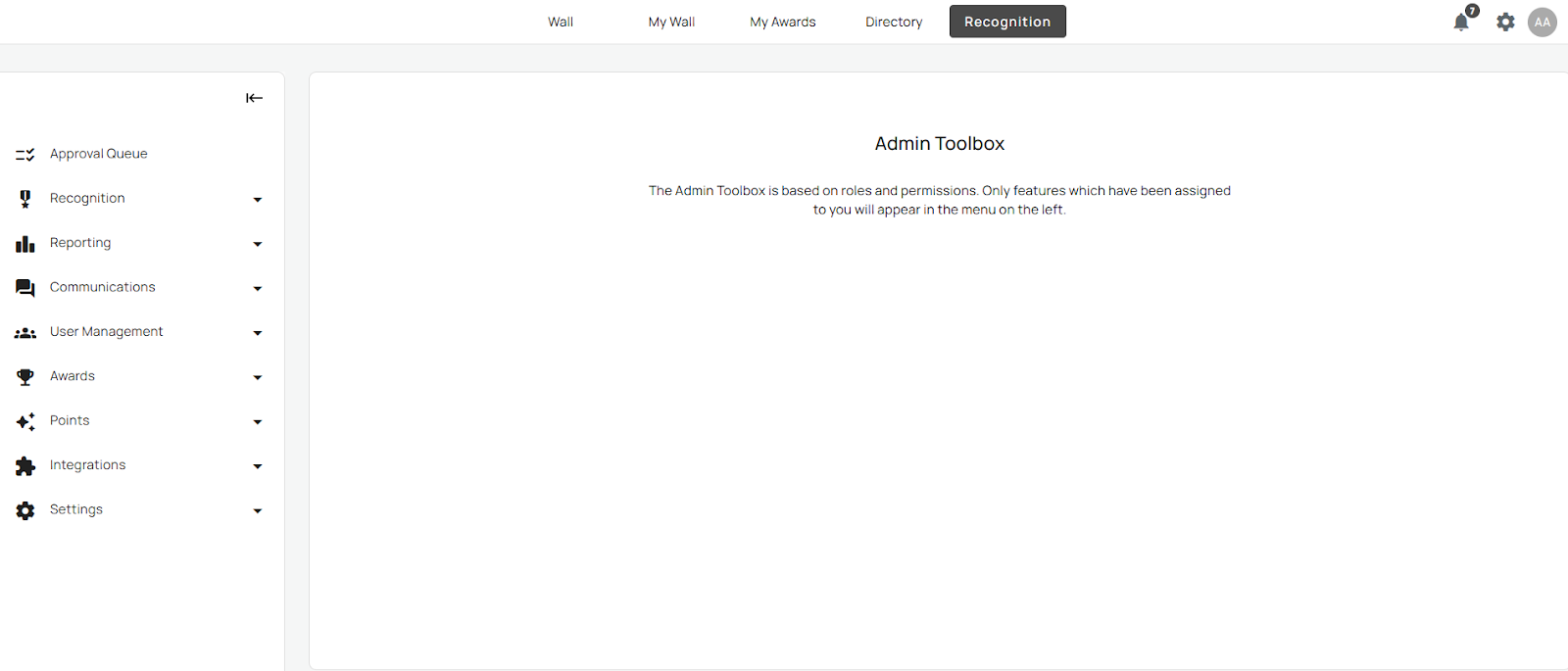
The configuration tools in Be Recognized allow administrators to customize how Recognition works across their organization.

Access the Admin sidebar by selecting the Settings gear icon in the top-right icons.
How to Upload Users

Creating/Updating Recognition Levels

Configurations

Reports

Notifications

Awards

Verbiages

Skin Settings

Integrations


Was this article helpful?

Powered by Product Fruits