
Language Settings
Adjust your language preference here.
Be Well supports viewing the platform in a participant's preferred language. The setting is enabled by administrators for the desktop browser, while mobile language is controlled through each participant's device settings.
Desktop Browser
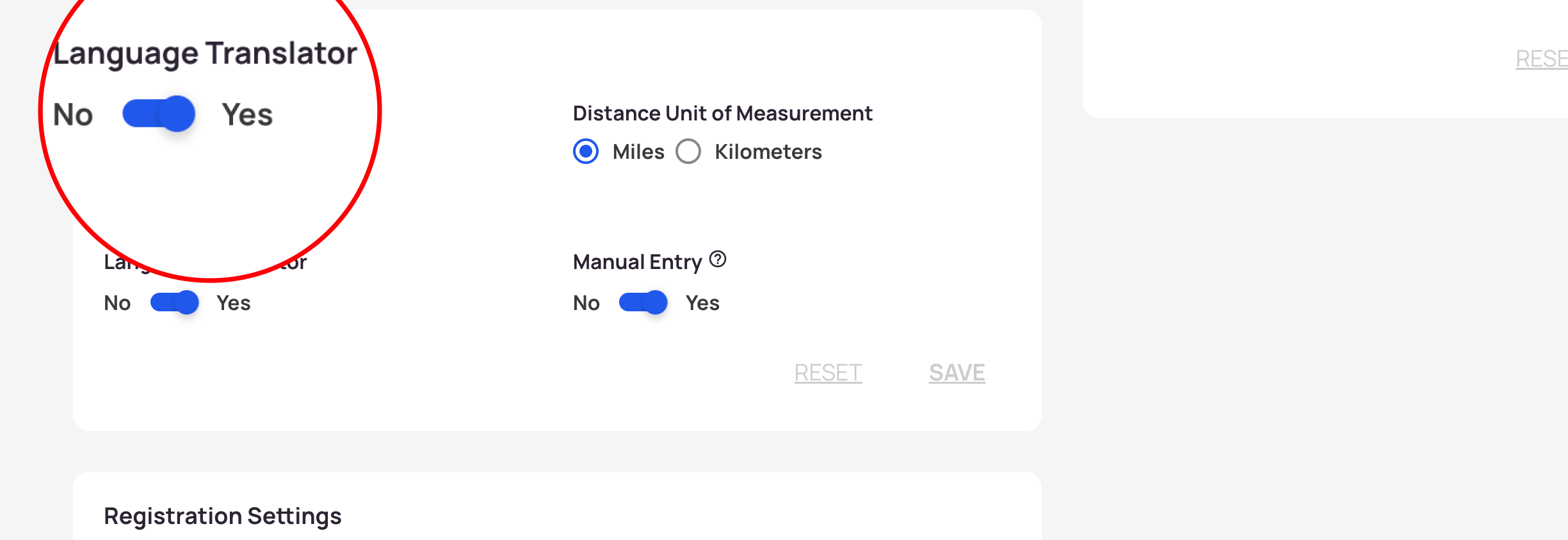
Enabling the Language Translator adds a translation dropdown to the top of the browser for all participants.
- Open the Admin Panel.
- Select Settings.
- Scroll to Program Settings.
- Toggle Language Translator ON.
- Select Save.
Once enabled, participants can use the dropdown at the top of their desktop browser to choose a language.
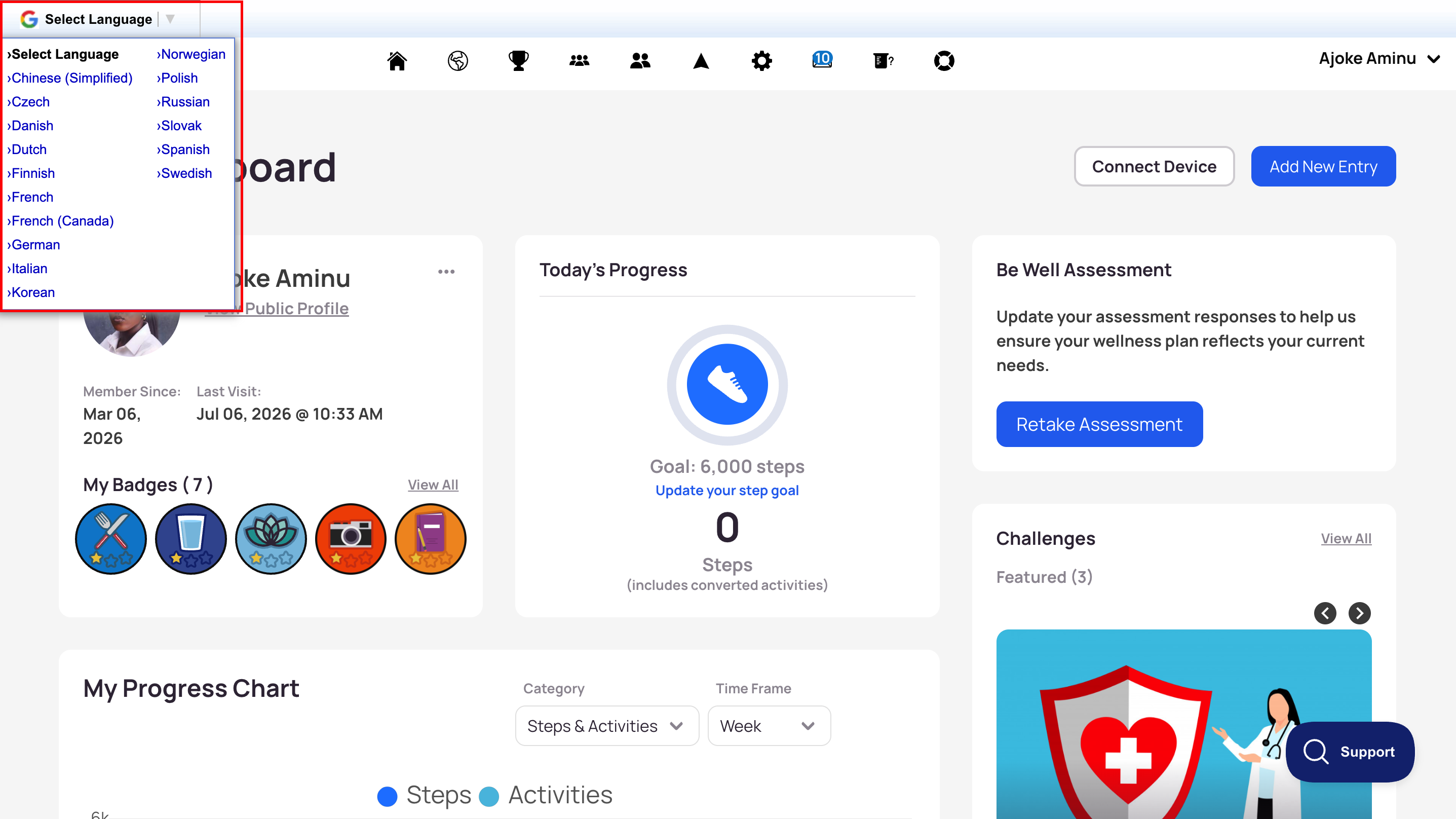
To add a language to the available list, contact your Customer Success Manager.
Mobile App
Participants change the mobile app's language through their phone's own settings, by updating the language preference for the Be Well app.