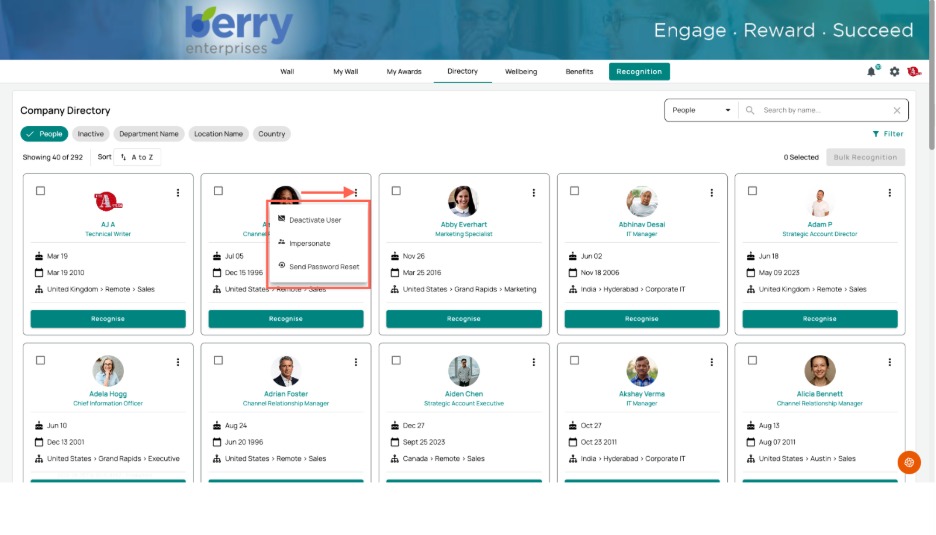
How to Send a Password Reset from the Directory
For Administrators
Administrators can send a password reset to a user directly from the Directory, without the user having to request one themselves. This is useful when a user is locked out or hasn't been able to reset their password on their own.
Sending a Password Reset
- Open the Directory from the navigation bar.
- Find the user — search by name, or filter by People, Inactive, Department, Location, or Country.
- On the user's card, select the three-dot menu in the top-right corner.
- Select Send Password Reset.
The User Card Menu
The three-dot menu on each user card gives administrators three actions: