
How to Log In To Be Well
Be Well is available on Android, iPhone, and web browser. Before you can log in, you'll need to register an account on your program's page. This guide covers how to create your account and log in across all three platforms.
Registering Your Account
Registration happens once. After that, you can log in on any device using the same credentials.
You'll need your program URL to get started. This is included in your invitation materials and is formatted like program.thrives.app or https://program.360recognition.com, with "program" replaced by your organization's name. If you don't have it, check your invitation or ask your program administrator.
On Mobile (Android & iPhone)
- Download the Terryberry Be Well app from the Google Play Store (Android) or App Store (iPhone). The app icon is the "be Well" wordmark — a teal "be" with "Well" beneath it on a white rounded square, published by Terryberry.
- Open the app.
- Tap Create an account.
- Enter your program URL when prompted.
- Tap Next.
- Enter your first name, last name, email, username, and password.
- Answer any additional questions your administrator has added.
- Agree to the Terms and Conditions.
- Tap Register.
[App Store / Play Store listing screenshot placeholder — to be added, verified against live app icon]
On a Web Browser
- Navigate to your program URL.
- Beneath "Don't have an account?", click Sign Up Today (or Register / Create an Account).
- Enter your name, a unique email, username, and password. Choose an email where you're comfortable receiving program updates.
- If your program requires it, select your organization and team.
- Answer any additional questions, then agree to the Terms of Service and Privacy Policy.
- Confirm your registration.
Logging In
If you've already created an account, open the app or navigate to your program URL and log in using either:
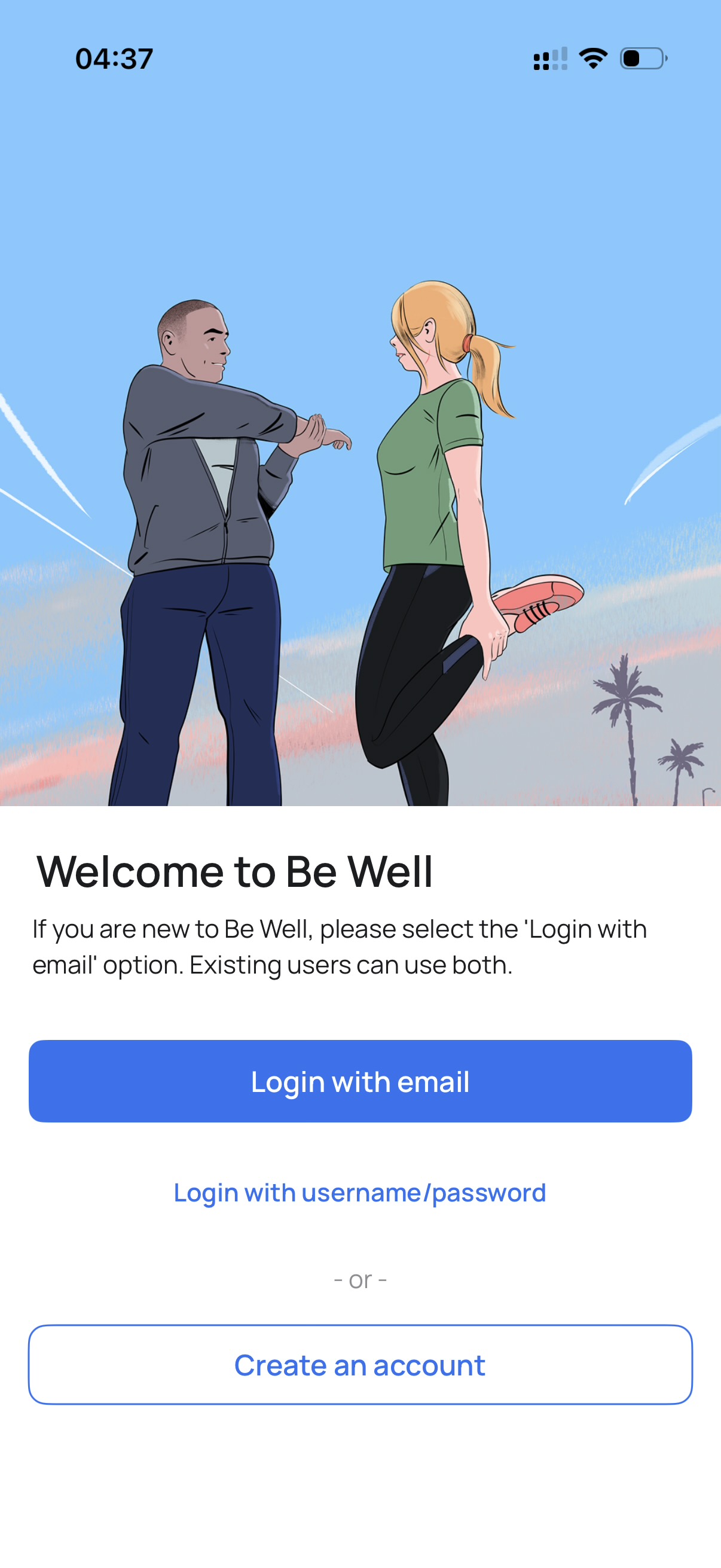
- Login with email, or
- Login with username / password
Both options use the credentials you set during registration.
Note: If you created your account on the web and are logging in on mobile for the first time, either login method will work.